Integration Settings Enhancements
Administration > System Setup > Integration Settings
The following enhancements have been applied to Integration Settings:
 Munis Financial System
For the Munis Financial System, an Account Format drop-down field has replaced the Use Full Account check box on the GL Export File card:
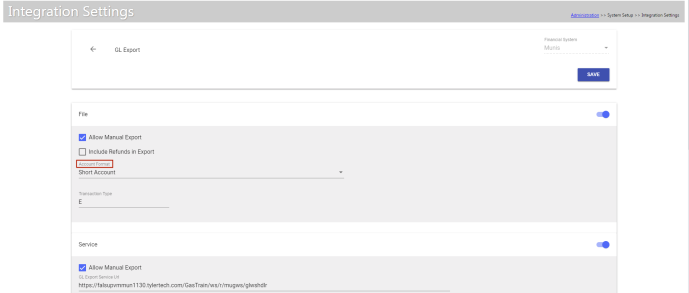
In addition to options for Short Account and Long Account, the drop-down contains options for Org-Object-Project Standard Multiple Journals and Long Standard Multiple Journals:
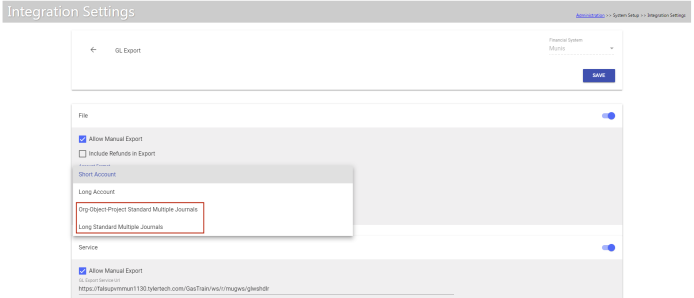
The new formats allow tracking of transaction effective dates that span multiple days.
Incode 9 Financial System
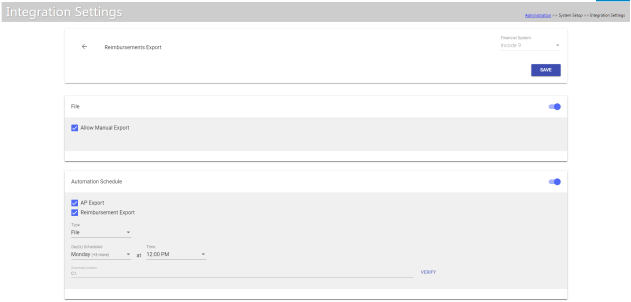
A Reimbursements Export option has been added to Integration Settings for the Incode 9 Financial System. This option provides the ability to export in the AP and Reimbursement Export pages or through the Automation Scheduler:
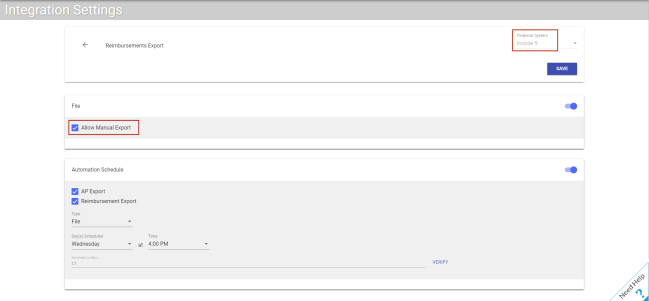
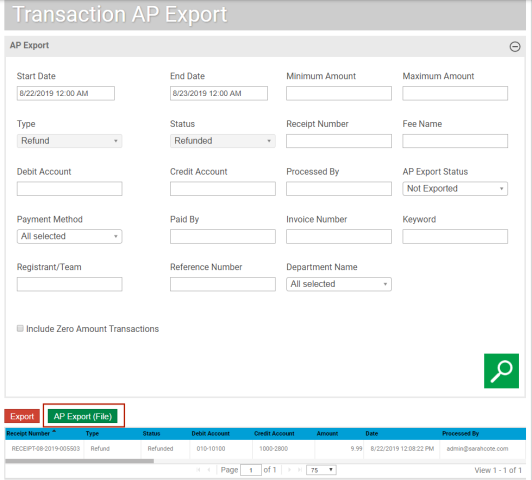
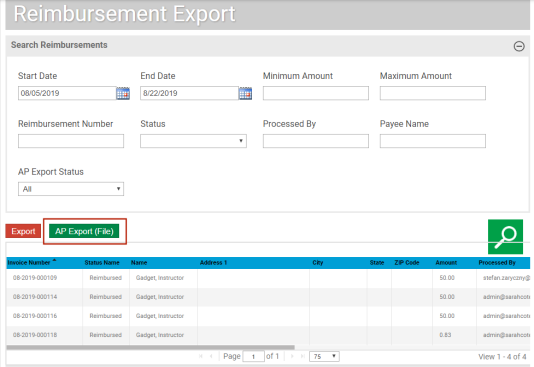
If Incode 9 is selected as the Financial System in Integration Settings, selecting the Allow Manual Export setting on the Reimbursements Export card will enable the display of the file export button on the AP Export and Reimbursement Export:
AP Export
Parks & Rec > Transaction > AP Export
Reimbursement Export
Parks & Rec > Reimbursement > Export
Incode 10 Financial System
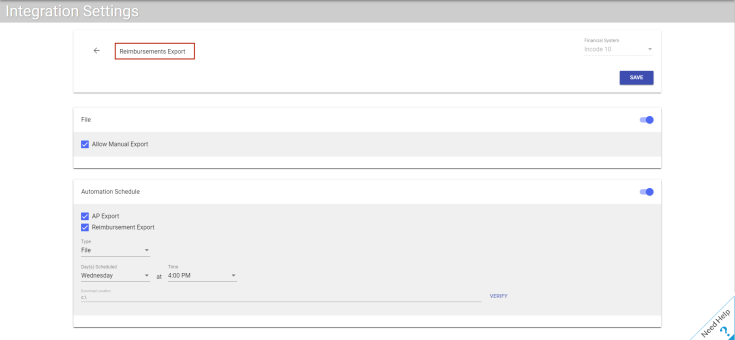
A Reimbursements Export option has been added to Integration Settings for the Incode 10 Financial System. This option provides the ability to export from the AP and Reimbursement Export pages or through the Automation Scheduler:
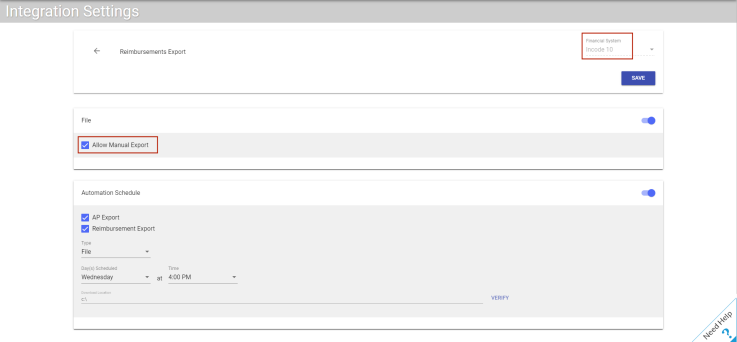
If Incode 10 is selected as the Financial System in Integration Settings, selecting the Allow Manual Export setting on the Reimbursements Export card enables the display of the file export button on the AP Export and Reimbursement Export:
AP Export
Parks & Rec > Transaction > AP Export
Reimbursement Export
Parks & Rec > Reimbursement > Export